EASERA - Electronic and Acoustic System Evaluation and Response Analysis
Software
EASERA is the unrivaled solution for electronic and acoustic analysis with industry standard quality and incredible flexibility and power.
EASERA consists of four logical parts:
- Signal generator
- Measurement
- Real time analyser
- Post processing
EASERA provides both data acquisition with a variety of stimulus signals including Time Delay Spectrometry, sweeps MLS or noise excitation signals and a post processing engine to calculate all acoustic functions or measures according to ISO Standard 3382 and higher.
The real time analyser provides multiple ways to perform a fast onsite analysis or to obtain a precise view of the surrounding acoustic environment.
Although many of these tools are available in one form or another in several products, EASERA is the first to bring them all together in one unified measuring package.
EASERA can be run in conjunction with nearly every modern measurement interface.
EASERA stands for Electronic and Acoustic System Evaluation and Response Analysis. Basically it is a PC/Windows based software for acoustic and electronic measurements utilizing any built-in or external soundcard.
EASERA has been developed over several years to become a valuable tool in the daily work of acoustic consultants, contractors and manufacturers. With time, the software was refined to an easy-to-use and powerful measuring platform.
Based on the background of EASE and realizing all of the common room-acoustic parameters the primary focus of EASERA is the room-acoustic and electro-acoustic evaluation of halls and venues. Nevertheless a signal generator and a real-time analyser allow for a fast on-site analysis as well.
EASERA allows for importing and exporting in various file formats, such as WAV, MLSSA, EASE or TEF. Additional features, like the advanced overlay and cursor functions, the 3D OpenGL-based waterfall and the new fast distortion analysis method make it an outstanding tools compared to similar software packages.
Version & Prices
Features
- Measurement Module
-
Image

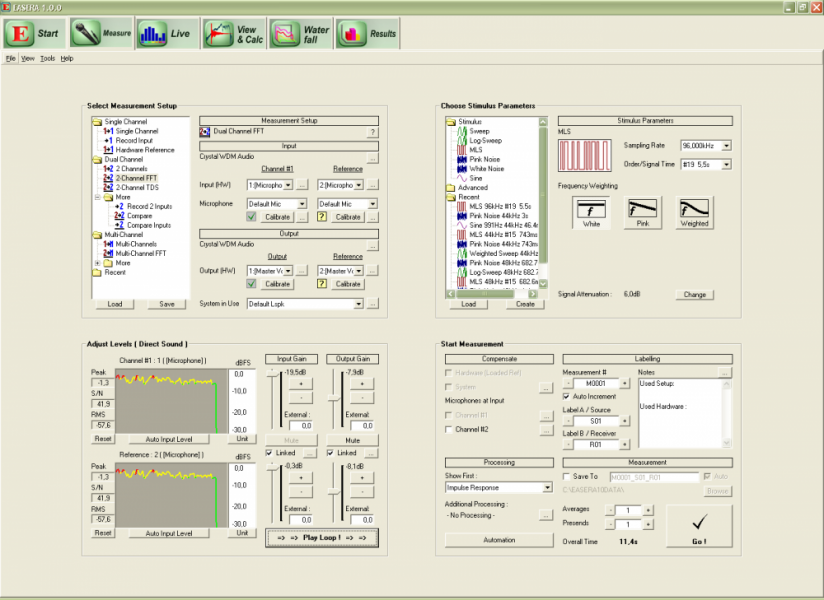
EASERA "Measure" tab interface. EASERA provides a large variety of measurement signals and options
Stimulus signals supported:
Sweeps (white, pink/log, weighted)
MLS - Maximal Length Sequence (white, pink, weighted)
Random noise (white, pink, weighted)
Sinusoidal signal, impulse and step
Custom signals, based on WAV file format
User-defined signals, created with signal generator
TDS Sweeps (with TDS module) - Supported Hardware
-
Image

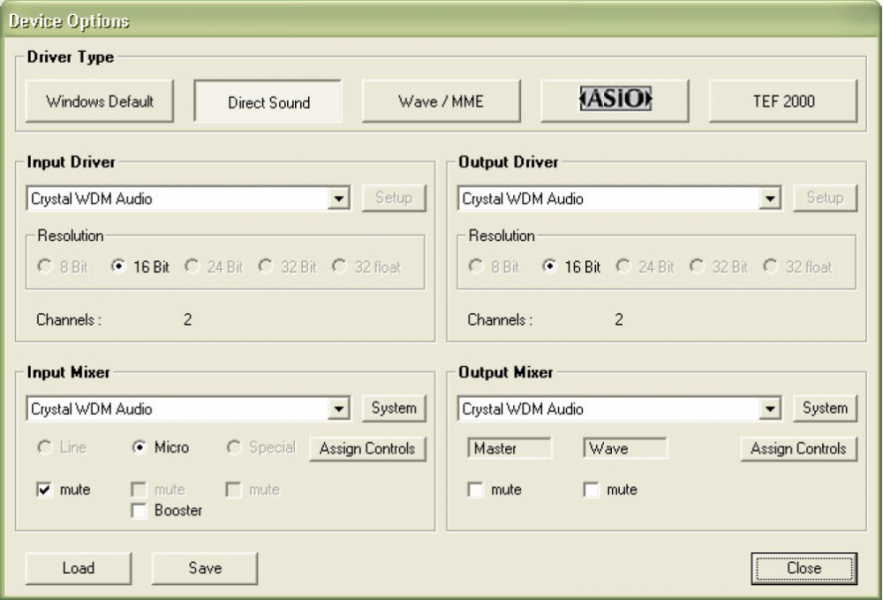
Almost every external hardware interface is supported by EASERA. Supported Hardware
Most modern PC audio interfaces are compatible with EASERA, which support Sample Rates from 8kHz to 192kHz and 32 Bit resolution (hardware-dependent).
EASERA supports MS Windows Direct Sound, Wave and ASIO drivers (preferred), and a large variety of hardware selection and calibration possibilities.Time synchronized input and output clocks are recommended for delay measurements.
- Types of Measurement
-
Image

EASERA offers you a variety of measurement options, using microphones, volume controls and electronical inputs. Measurement setups
- Single channel measurement Dual channel
- FFT Reference measurements
- Record mode for use of external sound sources
- Playback mode Measurements with up to 32 input channels
- Unlimited number of repetitions and averages
- Support of "Presend"-functionality
- Real time signal supply to EASERA allows
for so-called-source-independent measurements - Polars and automated measurements
Calibration features
- Calibration for microphone input,
electronic input and volume controls - Automated input volume control for maximum S/N
- Compensation for hardware frequency
response by means of reference measurements,
either using the second channel or by measuring in advance
Image
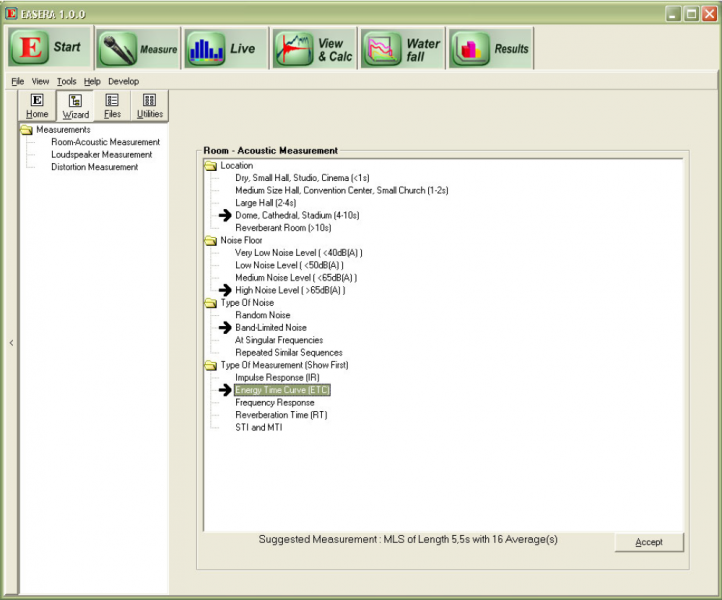
Choose the right type of measurement with the help of the Wizard. Measurement Wizard
- Choice of type of measurement
- Selection of measuring conditions
- Proposal for appropriate stimulus signal
- Real Time Analyzer
-
Image

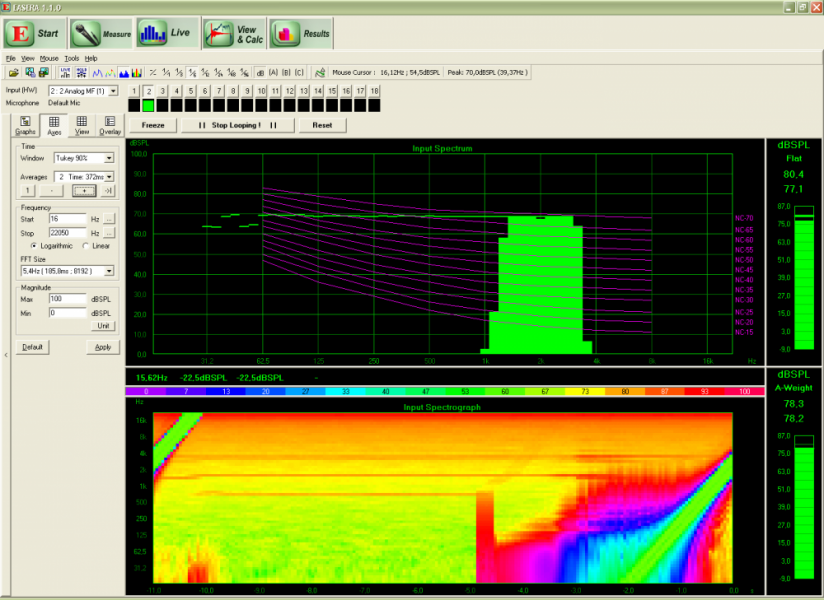
The Real Time Analyzer of EASERA allows you to monitor up to 32 input channels to analyse frequency response and performance Supported Functions
- Custom FFT windows and resolution
- Loading and saving of memories
- Event detection and logging Different dB-weightings,
such as A-weighting etc. - Various display resolutions, logarithmic or linear
- Tolerance mode
Displays
- Real time level chart
- Transfer function
- Monitoring of up to 32 input channels
- Level meters
- Spectogram
- Post Processing
-
Image

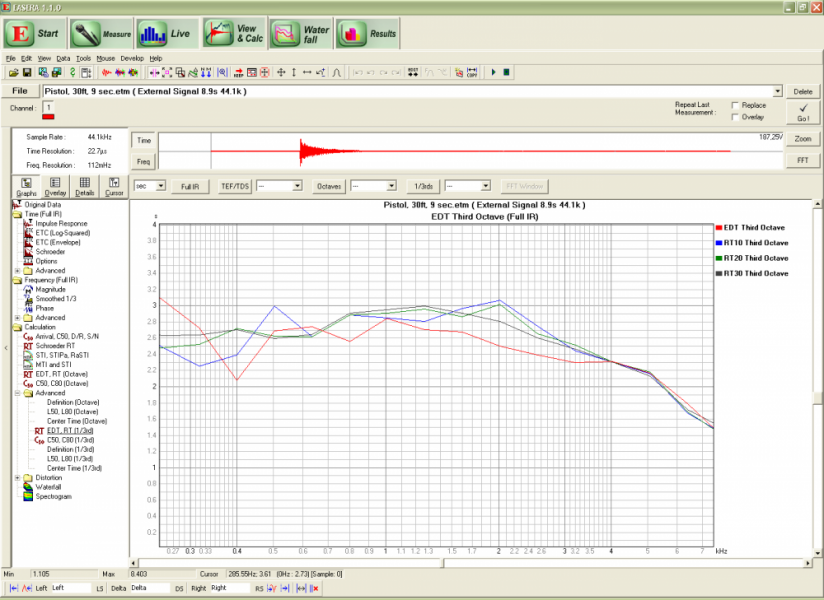
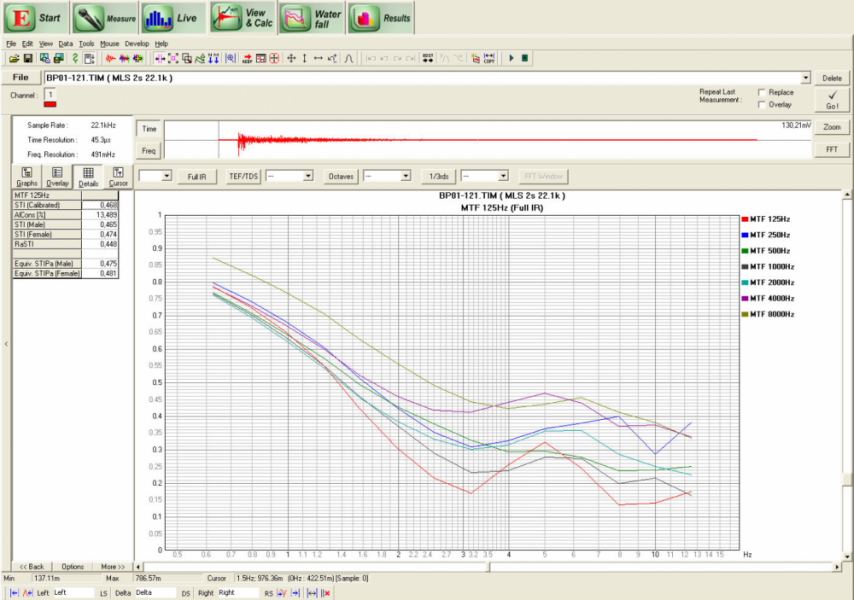
From the impulse response EASERA can calculate nearly every possible measure of room acoustics. Supported Parameters
- Room acoustic parameters conform to ISO 3382, for example:
EDT, T10, T20, T30, D50, C80, Center Time, MTF calculation and STI - Electro acoustic parameters, for example: Direct SPL, Total SPL, L50,
Arrival Time, AlCons - Additional Parameters, such as: RMS, Noise Level, Crest Factor
Displays
Image
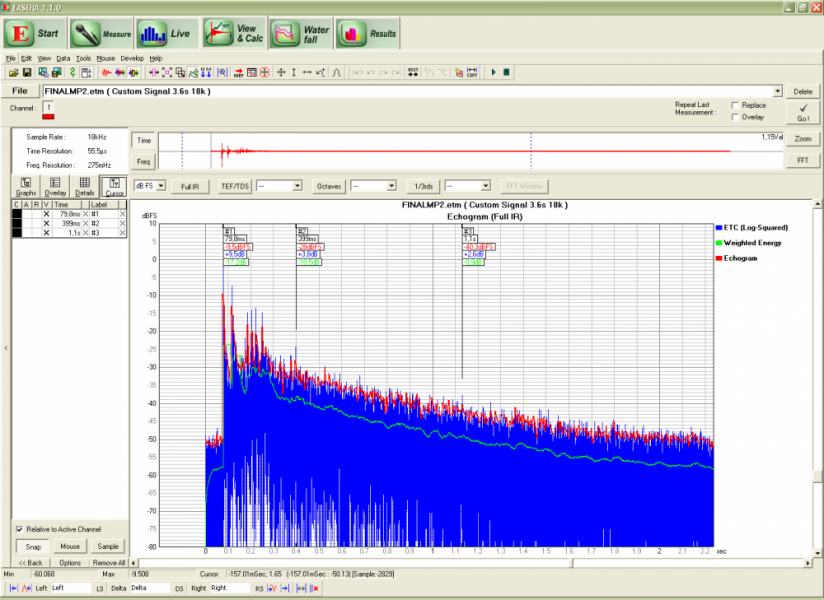
EASERA supplies several types of views for the obtained measurement values. - Time Domain views: Impulse Response, Energy Time Curve (ETC),
Schroeder Integral, Echo criteria - Frequency Domain views: Magnitude, Phase, Group Delay, Real Part,
Imaginary Part, Smoothings and Averages, Integrals - Tabular view
- Statistics for result data tables, such as average and standard deviation
- Original measurement data for inspection
- Overlay display to view and manipulate multiple data sets simultaneously
Features
Image
All features of EASERA provide for a very detailed analysis of the measured data. - Interactive cursors to view and compare curves at points of time of frequency
- Number of data sets to be loaded and viewed only limited by PC memory
- FFT block size only limited by PC processing capabilities
- Automated transforms, target-oriented rather than function-oriented user interface
- Octave and Third Octave filters as in IEC 61260
- Noise level calculation and subtraction
- Import and export of data in all common formats, for example
WAV, MLSSA, TEF, EASE - Support of all common electronic
- and acoustic units for display
- Increased noise immunity resulting from software
- based TDS tracking filter (with TDS module)
- Real-time wave front measurement
Image
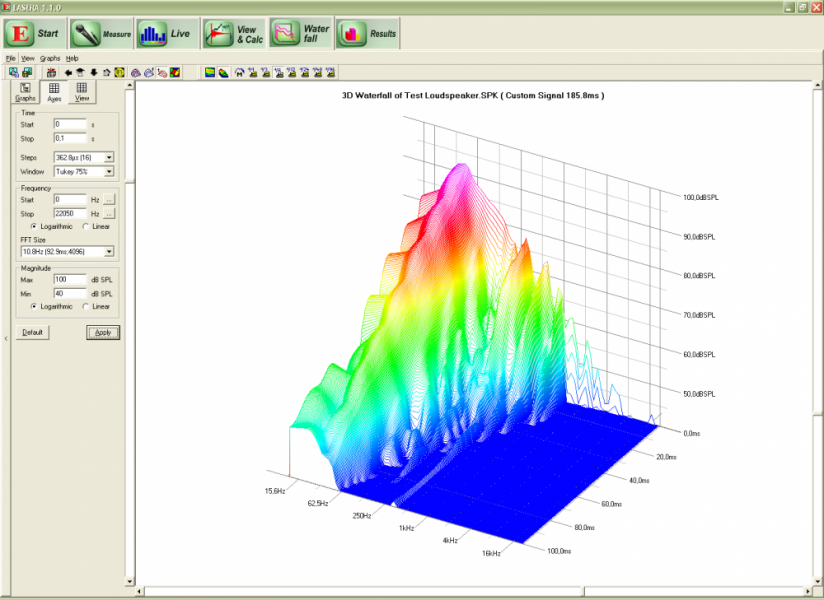
EASERA is capable of displaying decay times over frequency: the so-called "waterfall diagrams". - Room acoustic parameters conform to ISO 3382, for example:
- Editing Methods
-
Supported Functions
Image
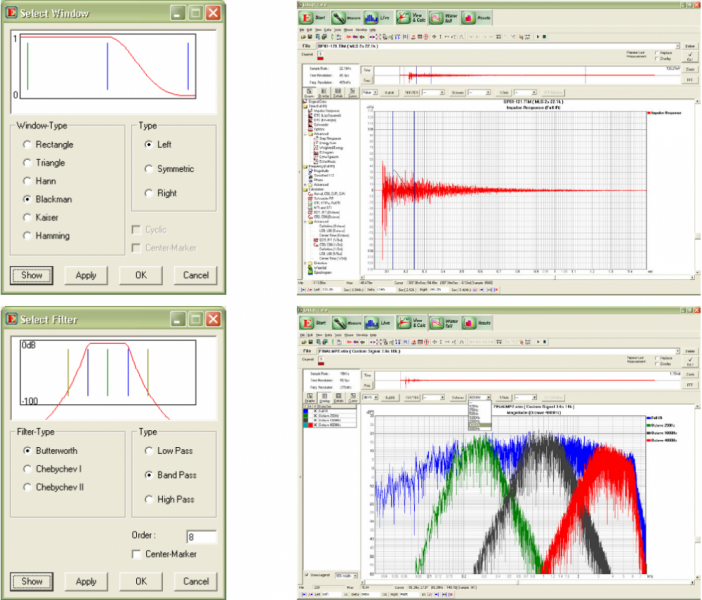
A lot of different filtering methods enable an efficient work with EASERA. - User-defined Filters User-defined windows
- Editing of data sets, such as addition or division
- Merging and cutting of files
- Smoothing, averaging
- All editing steps are stored in editing sequences and can
be loaded, saved and reapplied - Full undo/redo support
- Editing sequences for automated processing
- In-situ absorption measurement processing
- Distortion Analysis
-
Types of Measurements:
Image
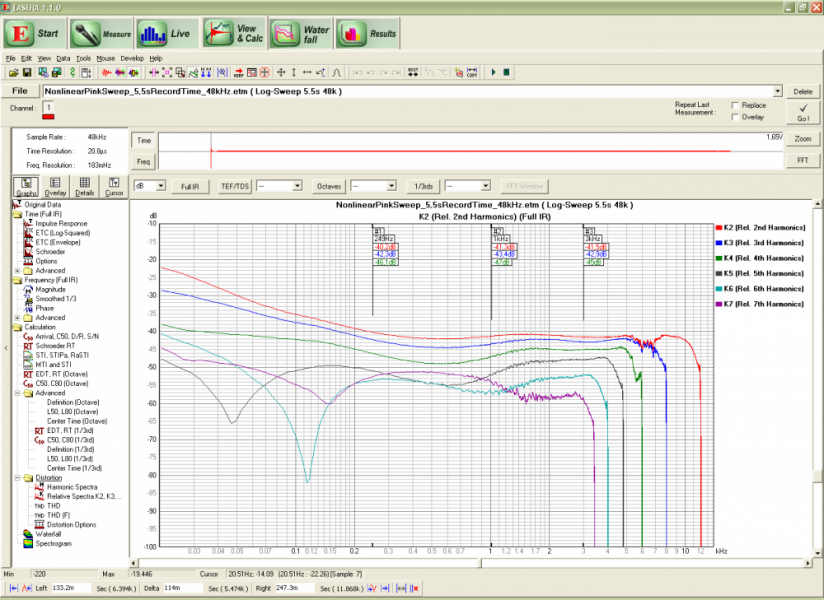
A comprehensive analysis of distortion can be performed with EASERA. - Continuous log sweep
- Logarithmic or linear resolution
- Custom smoothing and calculation parameters
Features:
- THD, THD+N
- THD spectrum
- Harmonic spectra
- Relative spectra